Archive for the 'Computers and Technology' Category  

All things relating to computers and technology.

Adding reverse-proxy caching to PHP applications

Adam June 14th, 2010

Note: This is a cross-post of documentation I am writing about Lazy Sessions.

Why use reverse-proxy caching?

For most public-facing web applications, the significant majority of their traffic is anonymous, non-authenticated users. Even with a variety of internal data-cache mechanisms and other good optimizations, a large amount of code execution goes into executing a PHP application to generate a page even if the content of this page will be the same for many users. Code and query optimization are very important to improving the experience for all users of a web application, but even the most basic “Hello World” script will top out at about 3k requests/second due to the overhead of Apache and PHP — many real applications top out at less than 200 requests/second. Varnish, a light-weight proxy-server that can run on the same host as the webserver, can cache pages in memory and can serve them at rates of more than 10k requests/second with thousands of concurrent connections.

While the point of web-applications is to have content be dynamic and easily changeable, for most applications and most of the anonymous users, receiving content that is slightly stale (cached for 5 minutes or something similar) isn’t a big deal. Sure, visitors to your blog might not see the latest post for a few minutes, but they will get their response in 4 milliseconds rather than 2 seconds.

Should your site get posted on Slashdot, a caching reverse-proxy server will give anonymous visitor #2 and up the same page from cache (until expiration), while authenticated users continue to have their requests passed through to the Apache/PHP back-end. Everyone wins.

Continue Reading »

Importing users into Bugzilla

Adam March 8th, 2010

For the past 6 months our Web Application Development work-group has been Bugzilla as our issue tracker with quite a bit of success. While it has its warts, Bugzilla seems like a pretty decent issue-tracking system and is flexible enough to fit into a variety of different work-flows. One very important feature of Bugzilla is support for LDAP authentication. This enables any Middlebury College user to log in and report a bug using their standard campus credentials.

While LDAP authentication works great, there is one problem: If a person has never logged into our Bugzilla, we can’t add them to the CC list of an issue. This is important for us because issues usually don’t get submitted directly to the bug tracker, but rather come in via calls, emails, tweets, and face-to-face meetings. We are then left to submit issues to Bugzilla ourselves to keep track of our to-do items. Ideally we’d add the original reporter to the bug’s CC list so that they will automatically be notified as we make progress on the issue, but their Bugzilla account must exist before we can add them to the bug.

Searching about the internet I wasn’t able to find anything about how to import LDAP users (or any kind of users) into Bugzilla, though I was able to find some basic instructions on how to create a single user via Bugzilla’s Perl API. To improve on the lack of user-import support I’ve created an Perl script that creates users from lines in a tab-delimited text file (create_users.pl) as well as a companion PHP script that will export an appropriately-formatted list of users from an Active Directory (LDAP) server (export_users.php).

Continue Reading »

The future of phones: Google Voice, Skype, mobile, and more

Adam November 8th, 2009

As members of the under-30 club, my wife Sarah and I have come into adulthood in the age of mobile phones. I got my first cell phone right after college and Sarah has had hers since she was 14; neither of us has ever had a land-line of our own.

While the mobile-only lifestyle has generally worked great for us over the years, it does have downsides that have become more apparent as our lifestyles have shifted to a more settled routine. Currently Sarah and I find ourselves generally splitting our time between work and home. At work we each have an office phone supplied, but we had only had our mobile phones at home. An unfortunately common occurrence was for one of us to come home and leave the mobile on silent/vibrate in a coat pocket and become unreachable. After a few incidents of being stranded, stood up, or not getting the message to pick up milk we decided that a home phone was needed — but were shocked to find that a local-only land-line would run us $40 per month (about the same as a cell phone plan in this area).

We were in search of a solution that would allow us to have a phone ringing audibly at home, keep our mobile phones for mobile usage, and come in at less than $120/month (if not lower our bills). Our solution is shown in the diagram below. While it looks a bit complicated, it meets our goals, didn’t require any tricky setup, and comes in at a grand total of $50/month for maintaining two mobile phones and a home phone. It has the added benefits of a single number to reach each of us and Google’s snazzy transcribed-voice-mail service.

New phone system with Google Voice  (click to enlarge)

New phone system with Google Voice (click to enlarge)

The new home phone: Skype + a handset

The first piece of the puzzle was to purchase a handset (the IPEVO SO-20) that sits at home on our wireless network, signed in to my Skype account. This handset works just like the Skype-application on a desktop computer, but doesn’t require keeping a large computer on to make or receive Skype calls. In addition to making free Skype-to-Skype calls, Skype also offers services for making calls from your Skype client to normal telephone numbers (known as “Skype-Out“) as well as a service which provides you with a telephone number that will ring your Skype client (known as “Skype In“). Skype-Out charges a minimal 2-cents/minute for calls to most of the world and maintaining the Skype-In number costs $3/month with no charge for talk-time.

We’ve been using the Skype phone for a few months now and have been very pleased with it. We notice a 1-1.5 second delay in hearing the caller when we first answer a call. This was a little confusing at first and resulted in a lot of “Hello? Hello? Can you hear me?” back-and-forth with the caller, but the delay is only at connection time and saying “Hello?” and then just pausing for a moment gives the call time to connect fully. Once in a call, the audio quality is generally a bit better than my mobile phone.

Routing calls with Google Voice

With the Skype-phone in place we now had a number that would reliably ring at home and costs us less than $10/month for a few hours of incoming and outgoing calls to anywhere in the world. Now the question is: How do we get people to call us on the Skype-phone rather than our mobile phones? Enter (from stage left) Google Voice.

Google Voice (from here out referred to as “GV”) is at its heart a phone-number forwarding service. The basic idea is that you get a GV phone number and then in your account settings, configure it to forward incoming calls to one or more other phone numbers. When a call comes in, all of your phones ring at the same time (this can be quite shocking if you have them in close proximity) and you pick up whichever one is at hand (and doesn’t incur a usage fee if you want to avoid that). Once you’ve picked up one phone the others stop ringing and you talk away.

I have my GV set up to ring three phones, my mobile number, our Skype-In number, and my work number. Since I spend the majority of my time either at work or home, most of the time I pick up calls at one of those two places. This cuts my mobile phone usage to only a few days per week, opening up other options for cutting costs.

Prepaid mobile + minimal usage = savings

Another driver for this entire phone-system change was that Unicel’s network in Vermont was recently sold to AT&T. After some bad customer-service experiences with Verizon I switched to Unicel in 2007 and was very happy with their service. In particular, they used unlocked GSM phones and didn’t charge for incoming calls or text messages, all for $35/month. With the sale to AT&T I was looking at an increase to $40/month for the minimal plan plus airtime usage for incoming calls.

With the Skype-phone in place and GV forwarding calls to all numbers, our mobile-phone usage wasn’t as high, allowing us to try some other options. Rather than signing up for a new AT&T contract, I instead kept the unlocked phone I used with Unicel and went with a prepaid (“GoPhone“) plan from AT&T. Rather than paying a monthly fee, I pre-pay on my account and then only have my account balance debited when I use the phone. I’m currently using the version of the plan where I pay $1/day on days that I use the phone, plus 10-cents/minute. While this sounds like it would add up, with GV routing calls to my other numbers I’ve averaged $16/month in mobile charges for the past two months. Also, unlike the monthly phone contract this has the potential to get much lower as more friends and family learn of my GV number and stop calling my mobile directly.

All said and done

From a pure cost perspective this telephony setup has been a big success. From two cell phones at $40/month each for a total of $80/month (with additional for a home phone); we’ve now gone to $3/month for the Skype-In number with ~$3/month of Skype-out calls from home, plus about $16/month each in mobile phone charges leaves us with a new total of a bit under $40/month. We had the additional $140 up-front cost for the IPEVO Skype-phone, but amortized over a year that still leaves us at about $50/month, with the potential to drop costs further if our cell-phone usage drops.

The non-monetary benefits are certainly harder to quantify. The biggest benefit I find is the increased control over my phone environment. For example, I could swap out the Skype-phone for something else (or get rid of it entirely) and no callers would know the difference. Once my contacts are all using my GV number, the same is true of my mobile phone.

Other features of GV such as voicemail transcription, caller filtering, scheduling of times when each phone should ring, and free SMS sending are all pretty neat too, but I haven’t yet made heavy use of them.

Now for the downsides:

  • Complexity: While I find the increased flexibility valuable and none of the steps are challenging, others may find the whole thing not worth the hassle to set up.
  • A new number: While I now have one number that will ring all of my phones, Google currently doesn’t support transferring existing numbers to their service. I’m now trying to wean friends and family off of the mobile number I’ve had for 7 years.
  • Apparently some have found that using GV causes delays or other audio degradation. I haven’t noticed this myself.
  • One more thing relying on Google. Since all of the phone companies hosted NSA warrentless-wire-tapping computers in their data-centers, I’m not particularly worried about Google having my calling data as well. That said, I’m relying on them to stick around for my email, searching, RSS reading, spreadsheets, and now call-routing.
  • Users don’t see my GV number in the caller id. You can make calls with GV so that the person you are calling sees your GV number in the caller-id, but this requires either initiating the call from the GV website (your phone rings first), or dialing your GV number, then from there initiating the call. I find this to be too much hassle so I never bother

One final note: If you are a friend, family, or colleague who I missed in my number-update-email, let me know and I’ll send you my new GV number. :-)

High-availability Drupal — File-handling

Adam September 9th, 2009

One of the requirements in the migration of our web sites to Drupal is that we create a robust and redundant platform that can stay running or degrade gracefully when hardware or software problems inevitably arise. While our sites get heavy use from our communities and the public, our traffic numbers are no where near those of a top-1000 site and could comfortably run off of one machine that ran both the database and web-server.

Single Machine Configuration

Single Machine Configuration


This simple configuration however has the major weakness that any hiccups in the hardware or software of the machine will likely take the site offline until the issues can be addressed. In order to give our site a better chance at staying up as failures occur, we separate some of the functional pieces of the site onto discrete machines and then ensure that each function is redundant or fail-safe. This post and the next will detail a few of the techniques we have used to build a robust site.

Continue Reading »

Time Machine Backups For The Moderately Paranoid

Adam July 29th, 2009

I have recently reworked by computer backup strategy to ensure a high degree of reliability by backing my Mac laptop to two drives in two locations using Time Machine. These backups are encrypted as well to allow me to store them in non-ultra-secure locations while not increasing my exposure to identity theft or snooping. While not a trivial process, it is one that is quite approachable with a little effort and a guiding purpose.

As a tribute to This American Life, I present you with an essay in three acts. In Act One we’ll see my older backup system and how it saved me, yet left me wanting more; Act Two discusses a philosophy of backups appropriate for the moderately paranoid; and in Act Three we’ll go step-by-step through the process of implementing that philosophy.
Continue Reading »

Ruby and Rails Thoughts

Adam February 3rd, 2009

I’ve decided to learn a few new programming languages and web frameworks over the next year or so to broaden my experience and just to have fun. I figured that I’d start with Ruby and its Rails framework. Python (and its Django framework) are also at the top of my list, but I seem to run into Ruby programs more often and the Rails fanatics are loudest, so I’m starting there.

After about 5 evenings of documentation and tutorial reading intermixed with a bit of programming I’m about 1/3 of the way through my first real Rails application and am beginning to have a few thoughts on Ruby, Rails, and the process of learning new languages and frameworks:

Languages are Easy…
This might have something to do with how my brain works, but I find learning new programming languages quite easy and extremely interesting. Some of the things I find really neat about the Ruby language:

  • Full-on object-oriented — I really like the consistency
  • Blocks and Iterators — I fell in love with blocks in SmallTalk, they are a great concept and so much easier to use than named callback functions
  • Method names can end in equals such as name=(newName), parentheses are optional, and spaces seem to be allowed in method names that include ‘=’, so attribute-setting methods can look syntactically identical to variable assignment operators. Example: adam.name=('Adam') is equivalent to adam.name = ('Adam') and is equivalent to adam.name = 'Adam'. Sweet syntactical sugar.
  • All instance variables are private. Always. The snazzy setter/getter syntax can spoof the idea of public attributes while still retaining actual methods to do the work. (I never got the point of public attributes other than as a way to avoid other languages’ painful getter/setter syntactical requirements.)
  • Classes are never closed — can always add a method
  • Single-inheritance prevents ambiguity in the class-hierarchy, but there is this concept of ‘Mix-ins’ where the un-closed nature of classes (I think) allows for a class to obtain method implementations from another class without inheriting from it. It sounds interesting, but I haven’t played with it yet

The Ruby language may have some blemishes (and apparently a slow interpreter), but it seems like a pretty nice language in general and pretty devoid of major syntactical or conceptual warts.

…Frameworks are hard
While I feel like I can [mostly] get my head around Ruby in a few days, Rails is another matter. Rails follows a few architectural concepts very strictly: convention over configuration, DRY, MVC, etc. One of the problems (at least with the tutorials and documentation on the Rails website) is that few of the convention have descriptions on how they should be applied and the documentation is scattered and can be hard to follow. A lot of magic happens behind the scenes when things are named a certain way and it can be hard to sort out what’s up when something goes wrong.

One problem I ran into that took me forever to debug was that by naming one of my classes Connection and using it in a has_many relationship I collided with something internal to ActiveRecord which caused an indecipherable error when trying to save my object. Connection is not one of the reserved words listed for Rails.

It may just be that I need to find a good book for Rails, but the official online documentation seems to be rather sparse, disorganized, and/or scattered. I don’t mean to complain too much and I believe that Rails will become much easier to use after I have a bit more time in the saddle, but it is a complex system that is not easy to learn a bit at a time.

I don’t want to dwell on on comparisons, but I must note that I have been very spoiled by PHP’s excellent official documentation at PHP.net and for the Zend Framework. PHP has more warts than, well, something with a lot of warts, (it has many, many warts), and doesn’t begin to compare to Ruby in syntactical elegance, but good documentation is also a valuable thing.

With all this said, I now have only 5 evenings in Ruby on Rails and I plan to give it at least twice that more. I hope by the end of this first project I’ll be comfortable enough with it to use it on other small to medium-sized applications with relative speed and ease.

Git Tip of the Day: Stage Hunks

Adam January 13th, 2009

One of the great things about the Git version-control system is the ability to incrementally commit your changes on a private branch to keep a step-by-step record of your thought and writing process on a fix or a feature, and then merge the completed work onto your main [or public] branch after your feature or fix is all done and tested. By keeping an incremental log of your changes — rather than just committing one giant set of code with changes to 30 files — it becomes much easier to know why a certain line was changed in the future when bugs are discovered with it.

One thing that often happens to me though, is that I work for about a half hour to an hour trying to get a new piece of code working and in the process make several sets of changes to one file that are only loosely related.

Let’s say that I am fixing a bug in my ‘MediaLibrary’ class and while doing so notice some some spelling mistakes in some comments that I fix. Now my one file has two changes my bug fix, and the spelling fix. Rather than committing both changes together with one comment describing both changes, I can highlight one of the changes in git-gui and select the “Stage Hunk for Commit” option.

Screen-shot of Staging a Hunk of code

With that one hunk staged I can now commit with a message applicable to that change. Other changes can then be staged and committed with their own messages resulting in a very understandable history of changes.

“Stage Hunk for Commit” can also be used to commit important changes while not including debugging lines inserted in your code.

Twitter Export Script

Adam October 13th, 2008

I have been using Twitter as a log of my daily doings and wished to export my time-line for reformatting into a calender format. Unfortunately TweetDumpr just retrieves the list of Tweets using a single fetch request which is limited by the Twitter API to a maximum of 200 Tweets. (Update: apparently TweetDumpr can get more than 200 Tweets. It just didn’t say so in its description.)

I wanted to export all 600+ of my tweets, so I wrote the following little php script to accomplish this. I have not yet tested it with many concurrent users or added a form to select which user to update. Until I do so, I won’t be providing it as an end-user service. You are free to put it on your own machine and use it though.

TwitterExport.php

<?php
/**
 * This script will allow the export of complete user time-lines from the twitter
 * service. It joins together all pages of status updates into one large XML block
 * that can then be reformatted/processed with other tools.
 *
 * @since 10/13/08
 *
 * @copyright Copyright © 2008, Adam Franco
 * @license http://www.gnu.org/copyleft/gpl.html GNU General Public License (GPL)
 */

$user = 'afranco_work';	// Replace this with your user name.

header('Content-type: text/plain');

$allDoc = new DOMDocument;
$root = $allDoc->appendChild($allDoc->createElement('statuses'));
$root->setAttribute('type', 'array');

$page = 1;
do {
	$numStatus = 0;

	$pageDoc = new DOMDocument;
	$res = @$pageDoc->load('http://twitter.com/statuses/user_timeline/'.$user.'.xml?page='.$page);
	if (!$res) {
		print "\n\n**** Error loading page $page ****";
		exit;
	}
	foreach ($pageDoc->getElementsByTagName('status') as $status) {
		$root->appendChild($allDoc->createTextNode("\n"));
		$root->appendChild($allDoc->importNode($status, true));
		$numStatus++;
	}

	print "\nLoaded page $page with $numStatus status updates.";
	flush();

	$page ++;
	sleep(1);

} while ($numStatus);

print "\nDone loading timeline.";
print "\n\n\n";

$root->appendChild($allDoc->createTextNode("\n"));
print $allDoc->saveXml();


Usage (assuming PHP is installed)

  1. Save the code above on your machine as twitter_export.php
  2. Edit the code to change the $user variable to be your own Twitter username
  3. From the command line run php twitter_export.php
  4. Copy/paste the XML output into a file for safe keeping and further processing

Getting Rid of the Translucent Menu Bar in Leopard

Adam February 20th, 2008

With the latest OS X Leopard update (10.5.2) Apple finally added an option to turn off menu bar translucency. I much prefer an opaque menu bar as I find it much more legible. There is only one problem with this fix: Apple, in their infinite wisdom, decided to hide this option on computers that “don’t support transparency” due to having lower-end graphics hardware. After upgrading to 10.5.2 my MacBookPro laptop has the option to turn of menu bar transparency, but my newer and more powerful MacPro Desktop does not. After much searching and forum-reading I found that most of the people with this problem (menu bar is translucent, but the option to make it opaque is missing) had MacPro desktops with multiple monitors and video cards.

The problem it turns out, is that while one of my video cards (that drives my two primary monitors ) is a high-end ATI Radeon X1900XT that supports transparent menu bars, the second (that drives my two outer monitors used mostly for notes and email) is a cheaper NVIDIA GeForce 7300 GT. The presence of the lower-end card in the system was causing the “Translucent Menu Bar” option to be hidden, even though it was supported by my other card.

Steps to fix:

  1. Turn off computer
  2. Remove low-end video card
  3. Start computer
  4. Go to System Preferences –> Desktop & Screen Saver and un-check the “Translucent Menu Bar” option
  5. Turn off computer
  6. Replace low-end video card
  7. Start computer

It is a pain in the butt, but it works to get the damn translucency turned off.

River Levels Widget v1.2.1

Adam February 10th, 2008

This version is a re-release of version 1.2 which had a corrupted archive missing some necessary files.

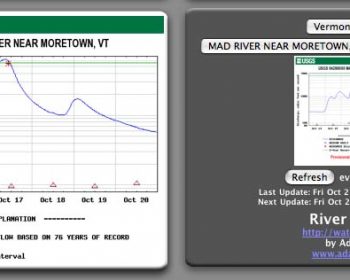
RiverLevels 1.0 Screen Shot

The RiverLevels widget provides an easy way to monitor the amount of water flowing in your favorite streams and rivers right from your Dashboard. The RiverLevels widget is of particular interest to whitewater kayakers and canoeists.

Once any United States Geological Survey (USGS) stream-gauge station is selected, it is automatically refreshed to always provide you with the latest graph of the water-level. As of version 1.2 you can choose between two graph styles: discharge in cubic feet per second (CFS) and water-height in feet.

This widget is Free software, licensed under the GNU General Public License (GPL) version 3 or later.

Requirements:

  • OS X – 10.4 “Tiger” or later

Change Log:

1.2.1 (2008-02-10)

  • New zip archive includes the ‘library’ directory missing in the 1.2 release.

1.2 (2008-02-06)

  • Fixed Leopard (10.5) compatability bug.
  • Added the ability to choose Gauge Height (ft) in addition to discharge (CFS).

1.1 (2007-01-08)

  • Fixed graphs extending off bottom of widget
  • Fixed invisibility of front refresh icon

Next »